Ask Savi AI · Savi Pro
The financial advisor in your pocket
The Assistant lives in the Savi Finance app. Ask about a budget, tag a trip, or see what changed this month. No copy-paste, no switching apps. Included with Savi Pro.
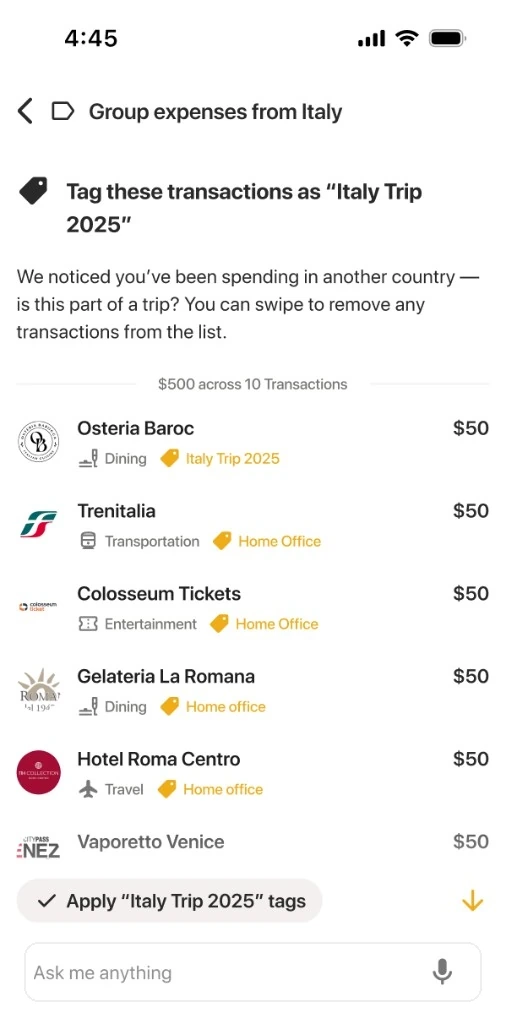
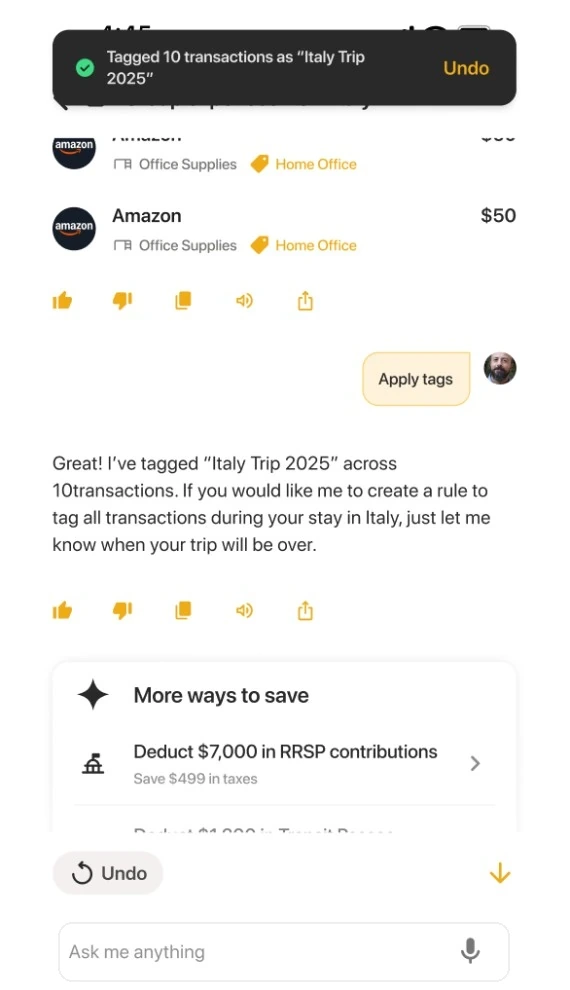
Holiday budget
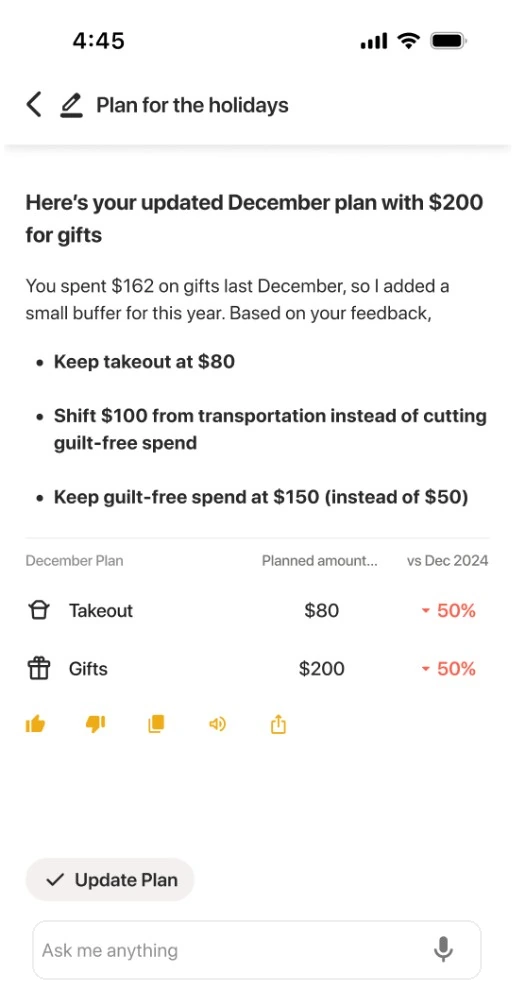
Disagree out loud. Savi revises the plan.
Tell Savi a limit feels too tight. It suggests a swap and updates the numbers in your plan from the same conversation.
- Back-and-forth in plain language
- Amounts tied to your real spending
- Budget edits applied as you chat

Quick logging
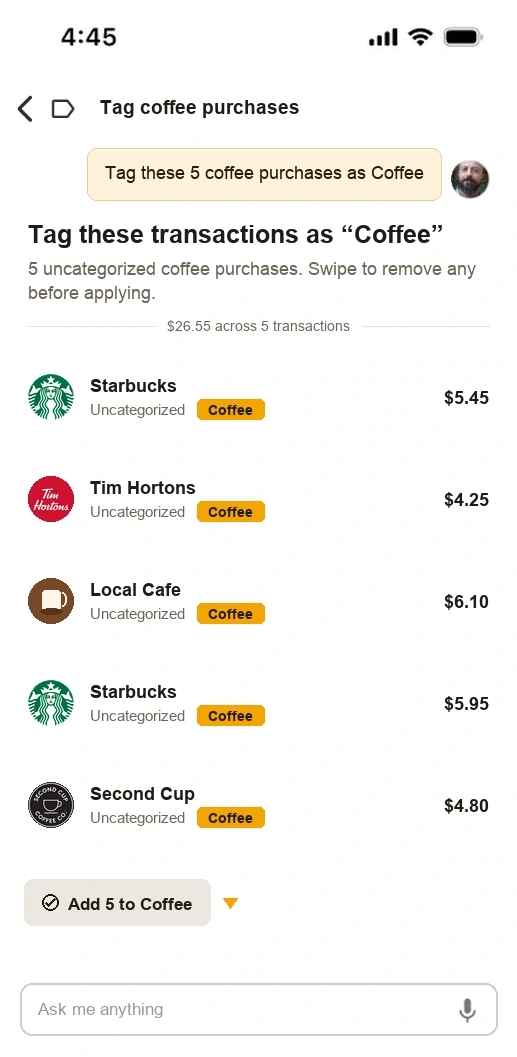
Say “$5 coffee.” Savi logs it.
Skip the forms. Tell Ask Savi what you spent and it creates the transaction in your account, or retags a purchase you already have.
- Create a transaction from plain language
- Retag or recategorize a purchase in chat
- Changes save as the assistant runs the tools
Smart responses
It figures out what you mean
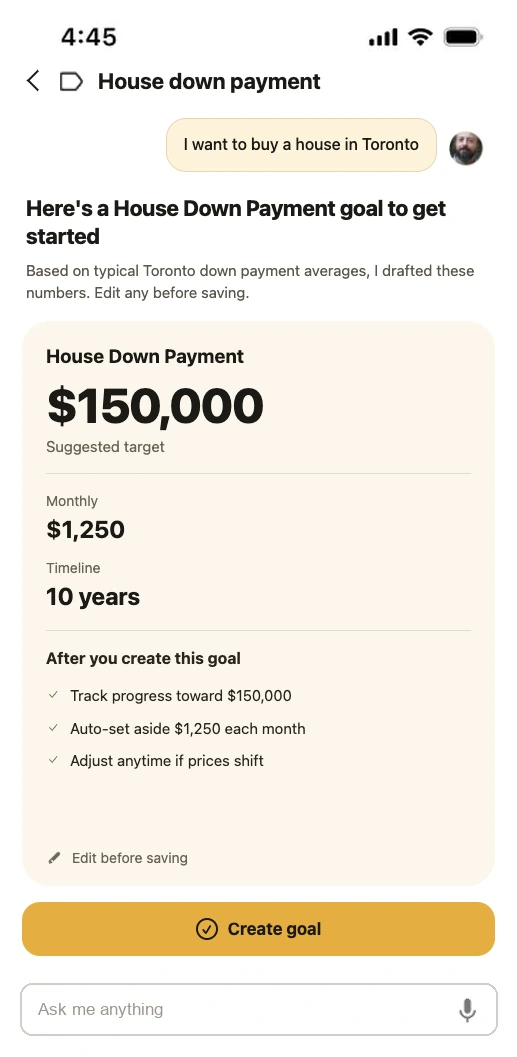
Say you want to buy a house in Toronto. Savi creates a House Down Payment goal with a suggested amount, monthly savings, and a timeline. Open Goals anytime to tweak the details.
- Infers a goal from plain language
- Fills amount, monthly target, and timeline
- Uses local context like Toronto averages
In the app
Ask, then act. All in one thread
Ask Savi is built into Savi Finance and included with Savi Pro. Your accounts are already there, so the conversation stays about your money, not a blank chat.
Step 1
Open Ask Savi
From the tab bar, type a question or tap a suggestion, or let Savi surface something it spotted first.
Step 2
Get answers from your data
Replies use your linked accounts, categories, and goals, so “where did my money go?” has a real answer.
Step 3
Act in the same thread
Ask Savi to retag a purchase, adjust a budget, or create a goal. Changes land in your account as the chat runs.
Get started
Download Savi. Open Ask Savi.
Install the app, upgrade to Savi Pro if you have not already, then open Ask Savi from the tab bar. Support for using Savi inside Claude and other AI tools via MCP is coming separately.