Personalize Your Insights, Discover Your Habits

Turn your transactions into clear, personalized insights—so you understand where your money goes, how you compare, and what to adjust next.

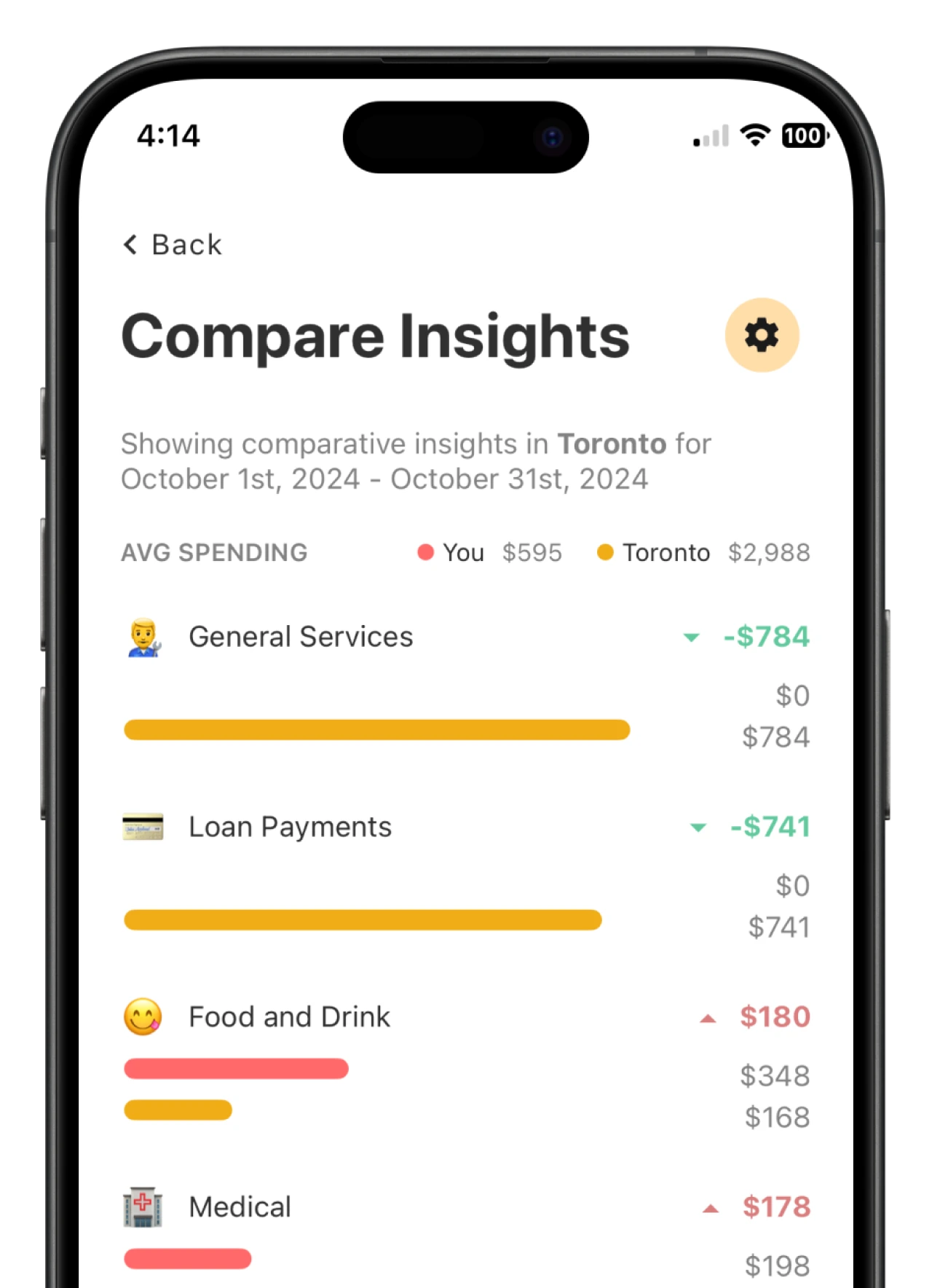
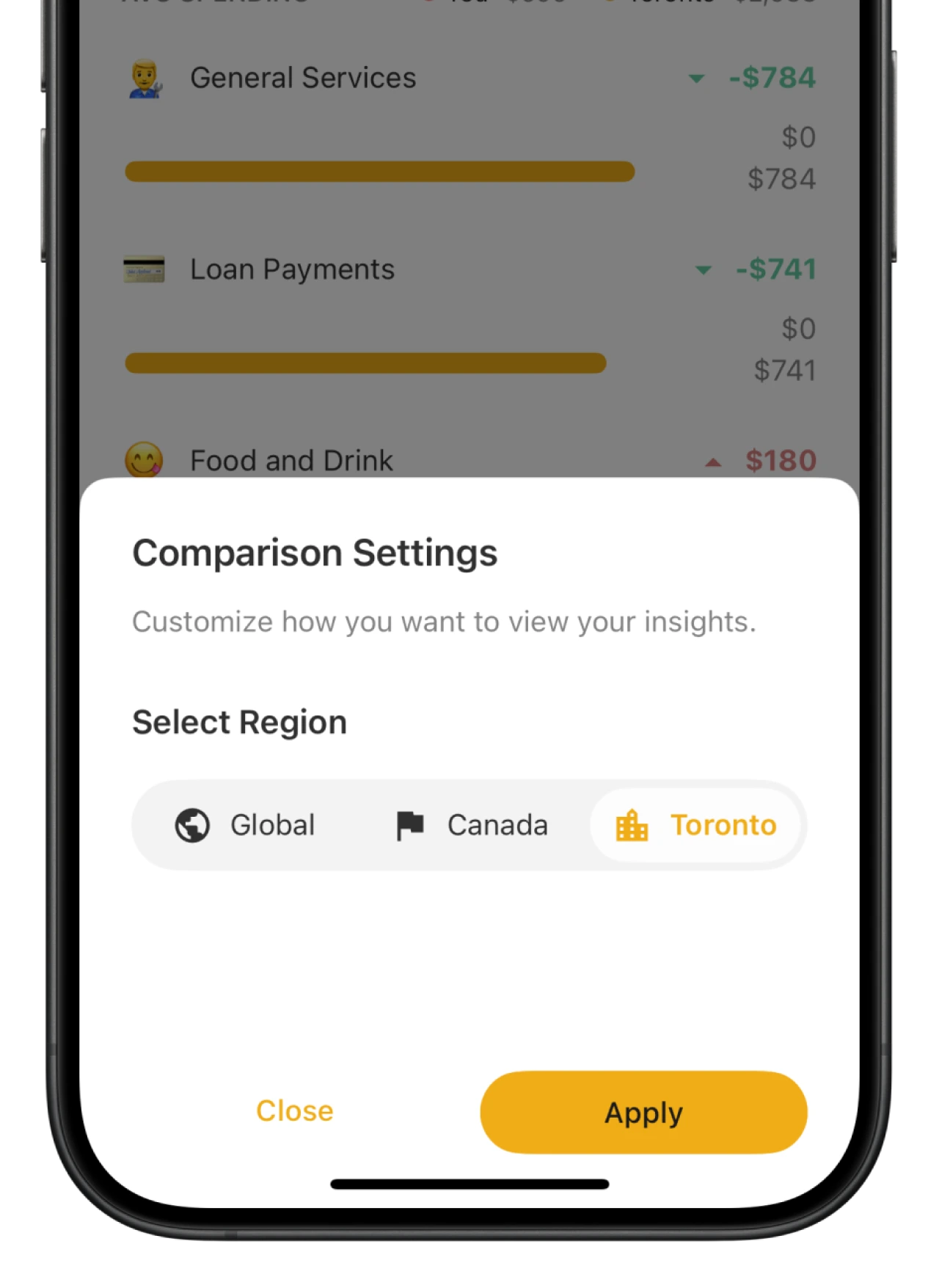
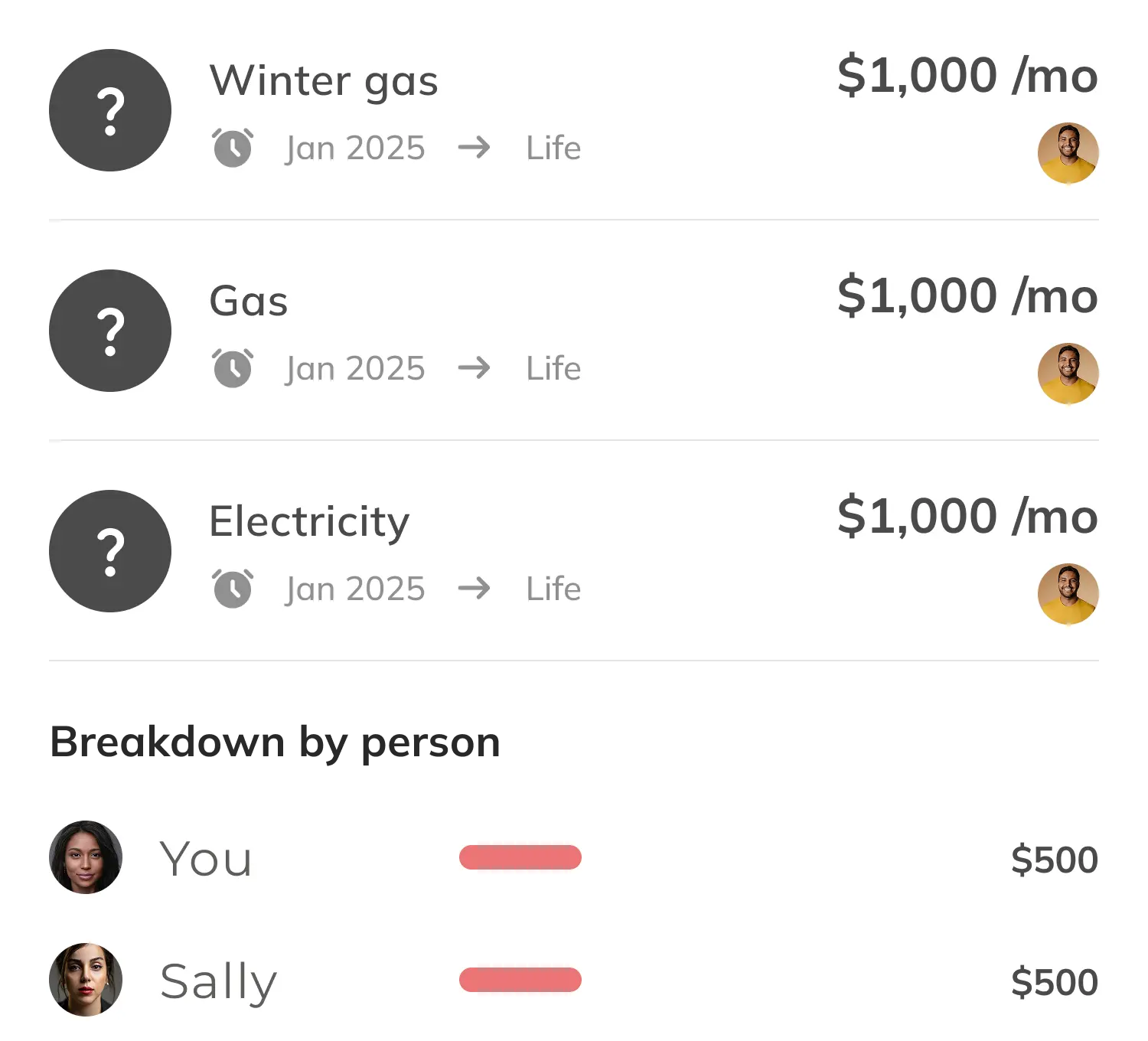
Social spending insightsCompare spending with others

Social insights that put spending in context

  • See how your spending compares globally with social insights that turn numbers into meaningful context.
  • Understand whether your habits align with your values—and where small shifts can make a big difference.
  • Get personalized insights that help you spot patterns you might miss on your own.
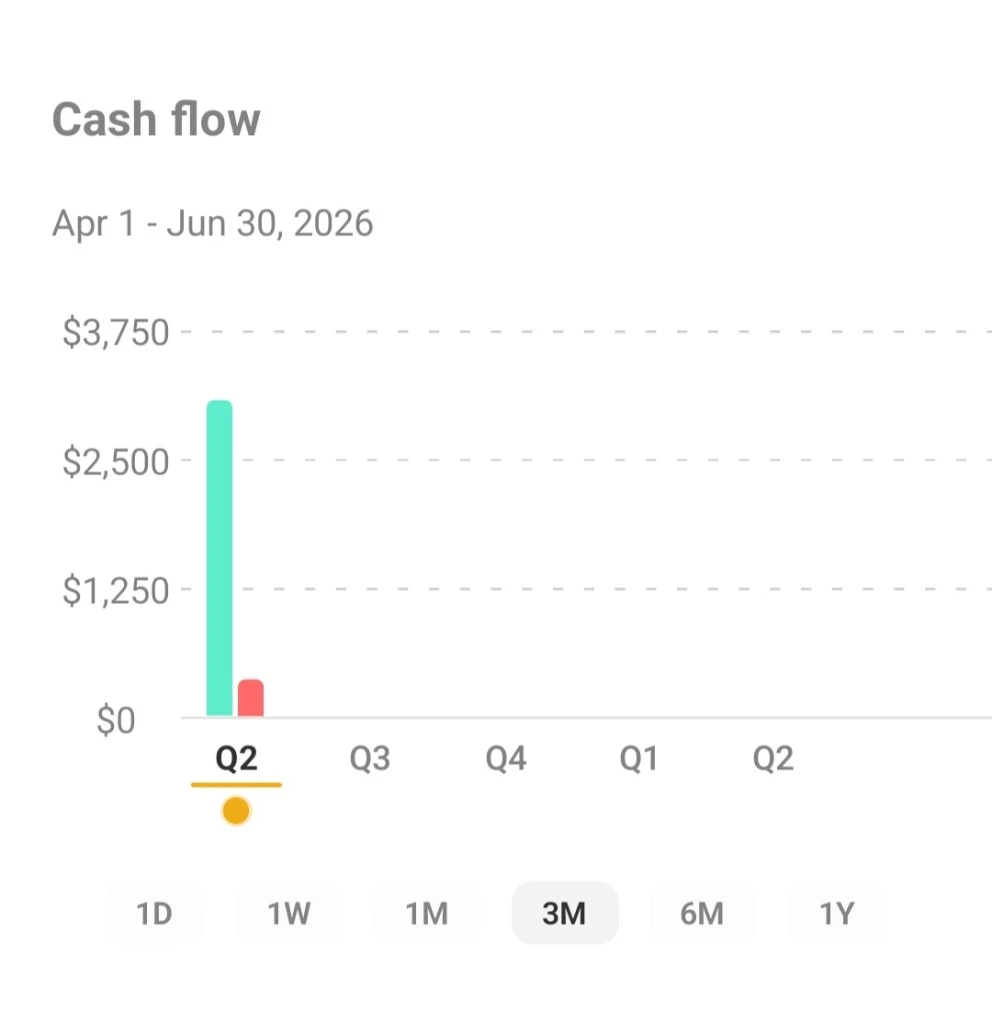
Expense breakdownCash flow chart showing income and expenses over time

Spot what drives your spending

  • See your biggest expenses at a glance so you know exactly where money is going first.
  • Track your average daily spend and stay aware of everyday habits that add up over time.
  • Identify outliers quickly and decide what deserves a closer look—or a change.
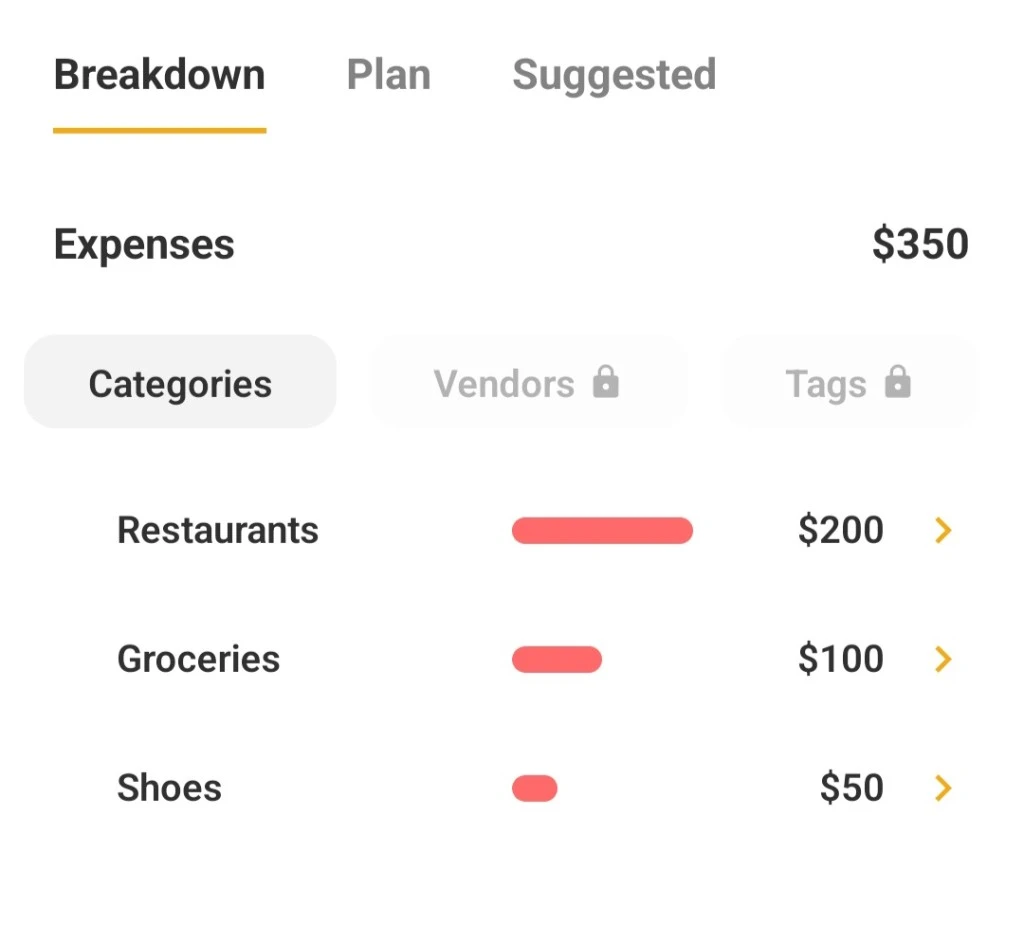
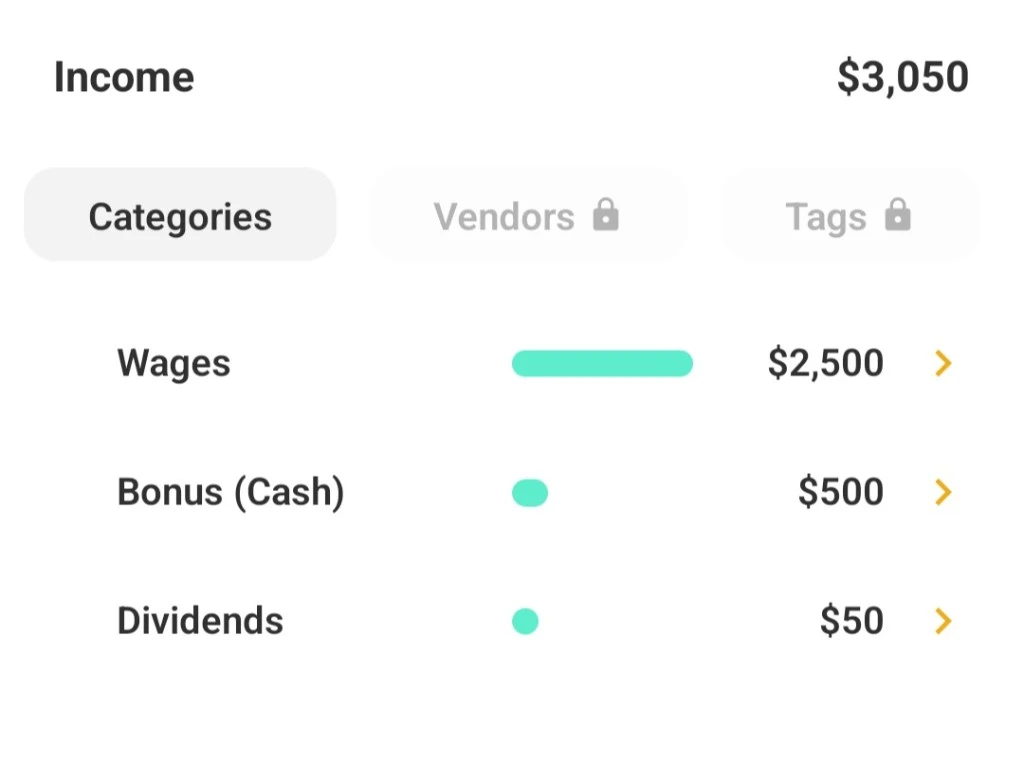
Expense breakdown by category showing restaurants, groceries, and shoesIncome breakdown by category showing wages, bonus, and dividends

Break it down by category

  • View expense by category to see which areas of your life take the largest share of your budget.
  • Review income by category so you understand where your earnings come from—not just how much you made.
  • Compare income vs expense in one view and know whether you're ahead, even, or need to adjust.

Start with a question about your spending

Category totals and daily averages can make a busy transaction list easier to interpret. Look for a category that changed, a period with an unusual total, or a difference between income and expenses. Then open the underlying transactions to see which entries explain the number.

A single month can be misleading when it includes an annual bill, a refund, or a one-off purchase. Compare periods with that context in mind and decide whether the pattern is recurring before changing a budget or goal contribution.

Put categories and comparisons in context

Expense and income breakdowns answer different questions. Expense categories show where money went; income categories show where it came from. Reviewing both can help you separate a change in spending from a change in earnings when your monthly cash flow looks different.

Social spending comparisons provide a broader reference point for selected categories. They are context for reflection, not a required target or a judgment about whether a household is doing well. Your location, household size, priorities, and timing can all make your spending needs different.

Turn an observation into a next step

If an insight points to a category you want to change, review the transactions and decide what is within your control. You might set a budget, look for a recurring charge, or leave the plan as it is if the increase was expected.

Insights use the financial information available in Savi from connected accounts and other records you add. Missing accounts, delayed transaction feeds, or uncategorized activity can affect the picture, so treat a chart as a starting point and confirm the details before acting.

Common questions

Do spending comparisons tell me what I should spend?

No. Comparisons give context for selected spending categories; your budget should reflect your own priorities and circumstances.

Can I see income separately from expenses?

Yes. The insights include income and expense views, category breakdowns, and cash-flow context.

Why does an insight look different from my statement?

Savi uses the accounts and transactions available in the app. Check for delayed feeds, missing accounts, transfers, or categories that need correction.

Start Discovering Your Financial Habits Today.

Get Started